Documents
Documents, in the console's Content group, is where you run your tenant's document catalog. It shows whether the catalog is on, which type each document has and so which version of it search shows, the questions the catalog has for a person, and the few actions that change or remove what it holds. What the catalog does for readers and agents is in Document Versions.
The page is always in the navigation, whatever your engine allows, because its first panel explains what documents need. Every action on it appears only when the key you signed in with holds that action's scope, and the engine checks each one again.
Document Author: Uni Zhu
Readiness comes first
The page opens on where documents stand for your tenant:
| The panel says | Means | What helps |
|---|---|---|
| Requires an engine upgrade | The engine was built without documents. | Your platform operator upgrades it. |
| Disabled by your platform administrator | Documents are off for the whole platform. | Only the operator can switch them on. |
| Documents are unavailable | Documents are on for the platform, but the engine that answered has no document catalog open. Search keeps working. | Your platform operator checks the engine's document setup. |
| Documents are off for this tenant | Off for you. The panel says whether your platform lets you turn them on. | Turn them on yourself where allowed, or ask your operator. |
| No workspace sends documents | On, but no workspace has started sending. | An operator sets up document sync for each workspace whose documents should be cataloged. |
| Waiting for the first documents | A workspace is set up to send documents, but none has arrived. | Check that its document sync is running. Its last sync and last complete scan are shown below. |
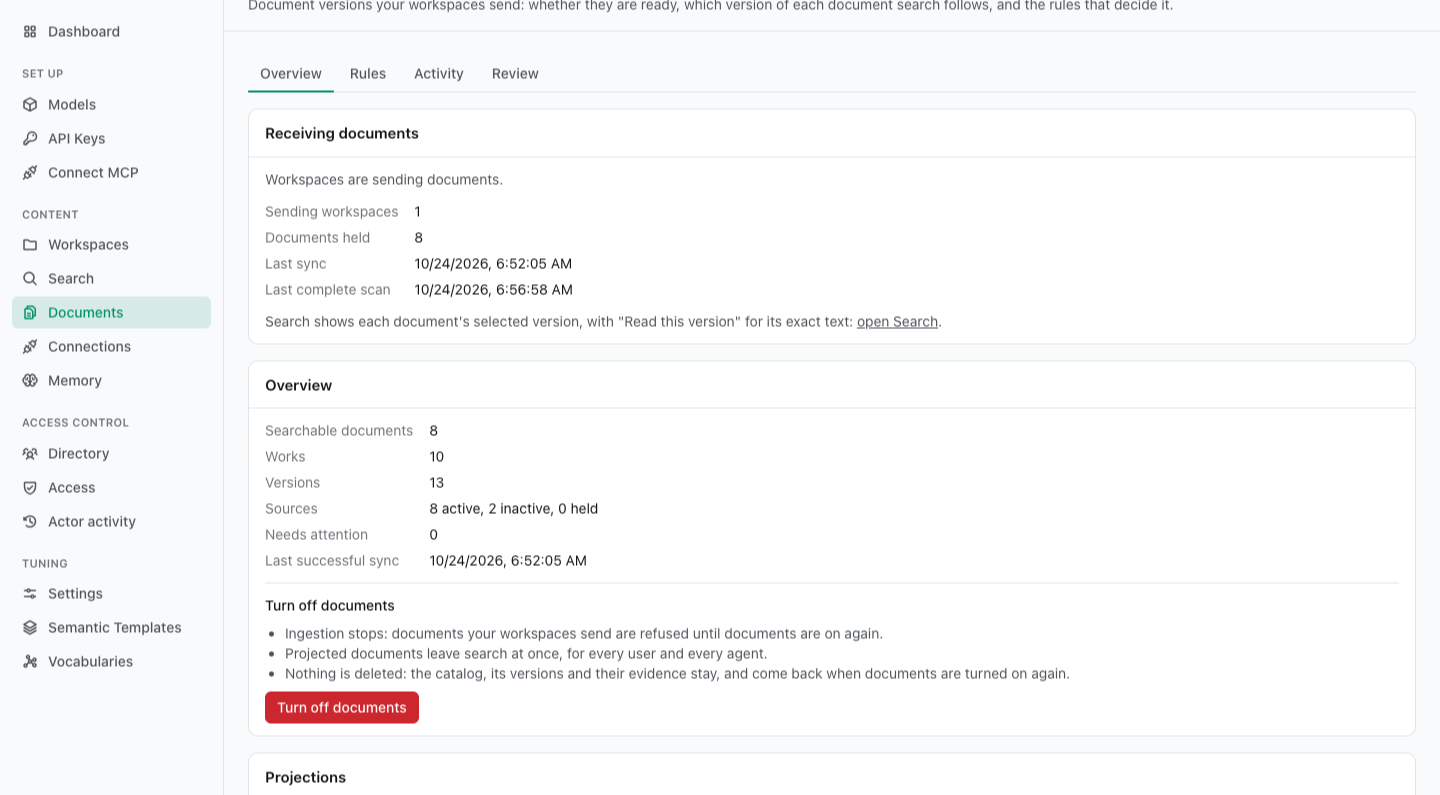
| Receiving documents | Documents are arriving. After a week with none, the panel says so: what the engine holds stays searchable meanwhile. | Nothing. |
Turning documents on and off
Where your platform lets tenants choose, Turn on documents on the readiness panel switches documents on for this tenant: every one of its workspaces, and no other tenant's.
- It needs a key with
config:readandconfig:write. Withgeneration:reloadas well, it applies at once. Otherwise it applies at your next reload. - A reload applies everything saved. It puts every other configuration change saved and not yet applied in force too, and the dialog says so.
Turn off documents, on the Overview, is one confirmed action. The catalog stops taking documents and every document it projected leaves search at once. Nothing is deleted, so turning documents back on restores search without extracting anything again.
The same switch is in Settings, in its Documents section, with three limits and one rule. Each inherits the platform's value until you change it:
| Setting | Means |
|---|---|
| Documents for this tenant | The switch, shown only where your platform lets tenants choose. |
| Who may read a version no source holds any longer | Administrators, or no one. You may not choose anything looser than your platform allows. See revoked versions. |
| Largest extraction artifact (bytes) | The largest single file a workspace may upload with a document's extraction. You may lower the platform's limit, not raise it. |
| Raw provider metadata kept per document (bytes) | How much of a provider's own metadata is kept with each delivery of a document. Lower only. |
| Metadata assertions per document | The most metadata values one delivery of a document may state. Lower only. |
Settings apply at your next reload, as every tenant setting does.
Who can do what
| Your key holds | You get |
|---|---|
codebase:read | Readiness, version-aware Search, and Read this version for any version you may open. |
codebase:read, documents:curate | Also the curation items in Review, the inspector, and the curation actions: metadata, retiring, linking, selecting again and choosing the newest copy. |
codebase:read, config:read | Also the Overview, Activity, every Review item, and the rules, read-only. |
codebase:read, config:read, config:write, documents:curate | Everything: editing and activating rules, holds, decisions on missing sources, transfers, purges, clearing projections, and the switch. |
A key bound to a member cannot administer documents
The documents routes that need config:read or config:write list or change the whole tenant: the status names held files and their paths, and a preview samples values from every source. So a key bound to an actor whose access is restricted, a member's or a supervisor's, is refused them with 403 restricted_caller, whatever scopes it holds: the Overview, Rules, Activity, previews, activations, holds, transfers, purges, decisions on missing sources and clearing projections. Two things are not refused:
- Review still lists items for such a key, limited to what its actor may see.
- The documents switch and the Settings limits go through the tenant's configuration, which checks scopes only.
Sign in with a key bound to no actor, or to an actor with the admin role.
Where every request must name a person
Some engines require every request to name the person it is made for. One key covers both Search and the inspector there:
- A key bound to a person (
actor:bind:<id>) searches and inspects as that person, and Search says so. Bind it to an administrator to see every version. - A key bound to no one names a person: under Run as in Search, and under Read as at the top of Review for the inspector. Naming one needs
actor:assert, and listing the people needsdirectory:manage. A key withoutconfig:readcannot ask whether a person is required, so Read as appears after the first read the engine refuses for want of one. A key that cannot name a person is told what it needs instead.
Overview
The counts: Works, Versions, Sources and Searchable documents, then what Needs attention, and the Last successful sync.
Two actions live here. Turn off documents is described above. Clear projections removes one workspace's projected documents from the search index, and works while documents are off too:
- The catalog keeps every version. Clearing deletes nothing from it.
- Cleared with documents on, they stay cleared. Nothing is projected again until something makes the catalog select again, such as Select again.
- Cleared with documents off, they come back. Turning documents on again projects them anew, without extracting anything.
Rules: types and assignments
Rules holds two things: the profiles, which are your document types, and the assignment rules, which decide which document gets which profile. The three profiles the engine ships are described in What search shows.
Profiles
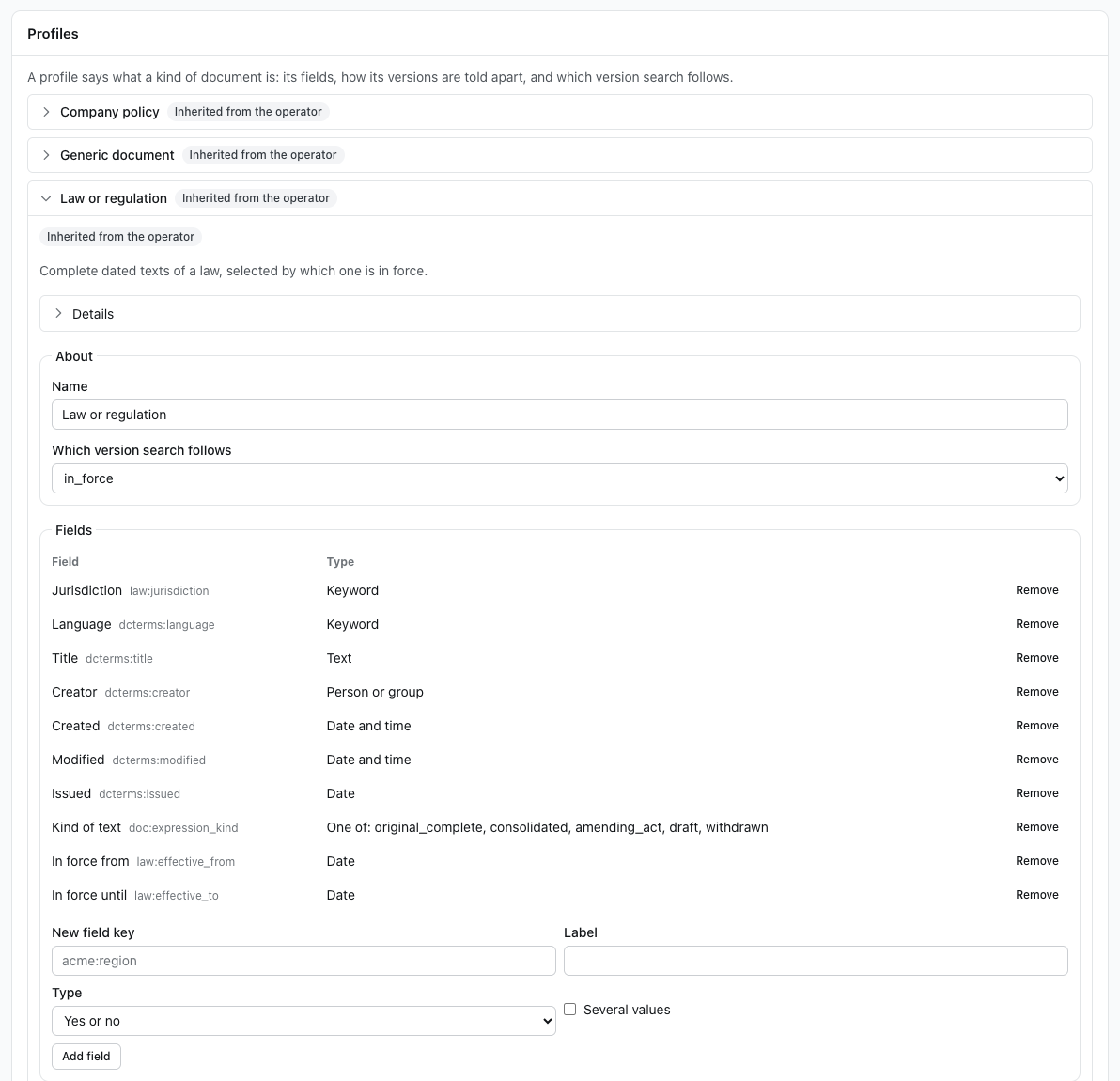
Profiles lists each profile with where it comes from: inherited from the operator, overridden by you, your own, or Locked, which you may read but not override. Open one to edit it:
- About: its Name, and Which version search follows, the default selection policy.
- Fields: its registered fields, added or removed (New field key, Label, Type, Allowed values, one per line).
- Structure (How documents are split into sections, with its patterns) and Comparison (How text is split into words, Similarity threshold, Ignore line wraps): the strategies and their parameters. Advanced parameters sit behind Advanced, and a setting the form cannot edit is shown with its raw value.
- Details: its ids, revision fingerprints and strategy ids.
- Advanced: the whole profile as JSON, for anything the form does not cover: the description, the selection policies, variants and identity.
New profile starts from a copy of one you may see (Start from).
Assignment rules
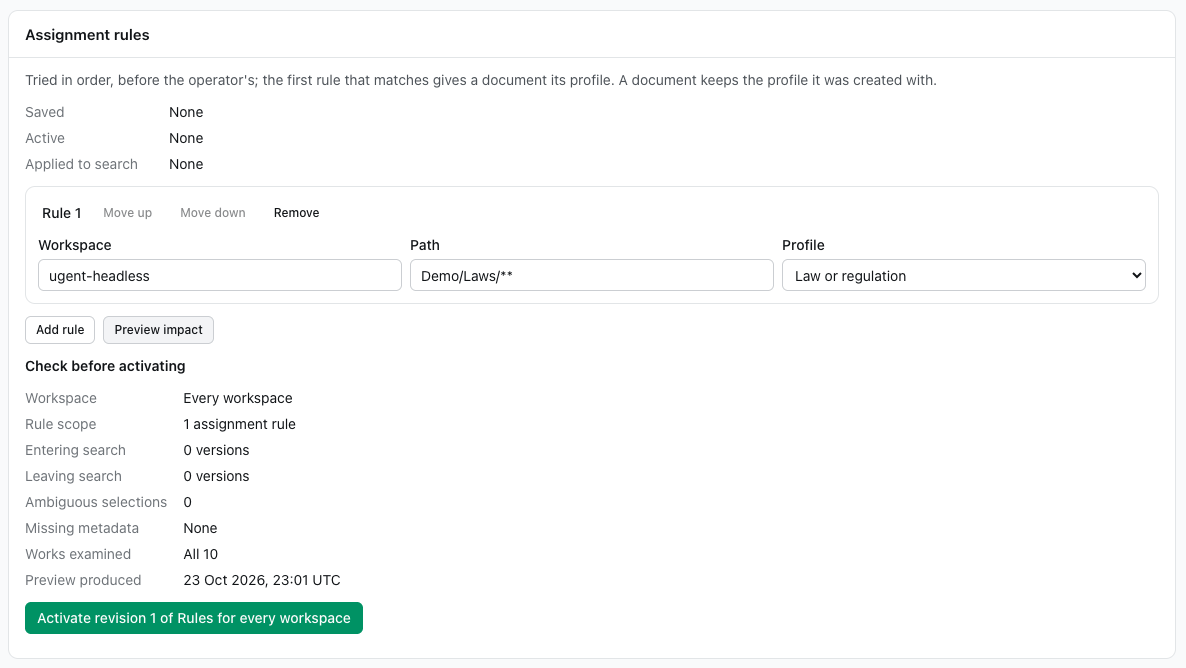
Assignment rules are your own ordered list, tried before the operator's. The first rule that matches wins, and a document no rule matches gets generic. A rule names a Workspace (or Any workspace), a Path pattern, in which * stays within one folder and ** crosses folders, and the Profile to give. Reorder rules with Move up and Move down, or Alt+↑ and Alt+↓.
Changing the rules is one step shorter than changing a profile: Preview impact of the rule set, read Check before activating, then take the action it names, such as Activate revision 3 of Rules for every workspace. That puts the rules in force at once, and the card then reads Applied. Search follows this revision.
A document keeps the type it was given
A document keeps the profile it was first assigned, so a new rule changes no document already cataloged, and no selection. Its preview lists the sources the rule would now assign another profile.
Changing a profile safely
A change to a profile reaches search in one journey, and nothing changes until its last step:
- Save a draft. A draft you have not saved survives an error or a reload in this browser tab. If someone else saved first, yours is kept beside theirs, to apply again or discard.
- Preview impact for one Workspace or for Every workspace. The preview shows the versions Entering search and Leaving search, the Ambiguous selections (ties) it would cause, the Missing metadata its selection reads and versions lack, the Works examined, and when the preview was produced. It writes nothing. It examines a bounded number of works (500 by default, or 10 seconds' worth), and says when that was a sample. The page tells you when a preview has gone stale, and why:
- the draft or the configuration changed, and the preview is discarded;
- documents changed, and the preview stays, marked, without a count.
- Check before activating reads back what you are about to do, then offers the action by name, such as Activate revision 7 of Law or regulation for the legal workspace.
- Watch it apply. Updating search counts the documents caught up, then ends in one of three ways:
- Applied;
- Failed, retry available, naming the failed documents, with Retry, which reruns only those;
- Superseded by revision N, when a later activation of the same profile came first.
Saved, active and applied revisions are shown apart, so you can see a change that is saved but not yet in force. To undo an override, Go back to the operator's version, which ends it. The console offers no rollback to an earlier revision of your own: save that revision's body as a new draft and activate it, or call the engine's POST /v1/tenant/document-profiles/{id}:rollback.
Activity
Activity is the catalog's recent work. Changes and Producers are always there; the other cards appear only when they have something to list. Each card counts what it lists:
- Changes, each naming its revision (activated revision 7) and its outcome (Superseded by revision 8).
- Updating search: the documents waiting to be added to search, and the failed ones.
- Missing sources, with their exact impact and whether they will confirm by themselves (see Review).
- Held sources, each with Release.
- Overdue dated changes, with how late they are.
- Producers: the senders of each workspace's documents, each with its Last sync and Last complete scan, and a Refused scan badge for each scan refused lately. Transfer sources (see Administration) is offered where the workspace has another producer to transfer to.
Review
Review lists what needs a person. Each item says what happened, which documents and folders it affects (only those you may see), whether search includes them now and why, and the actions your key may take.
| Item | Until it is decided | Actions |
|---|---|---|
| Two copies of a document arrived out of order | The current version stays until someone chooses the newest. | Choose the newest, then Choose as newest on the copy that is |
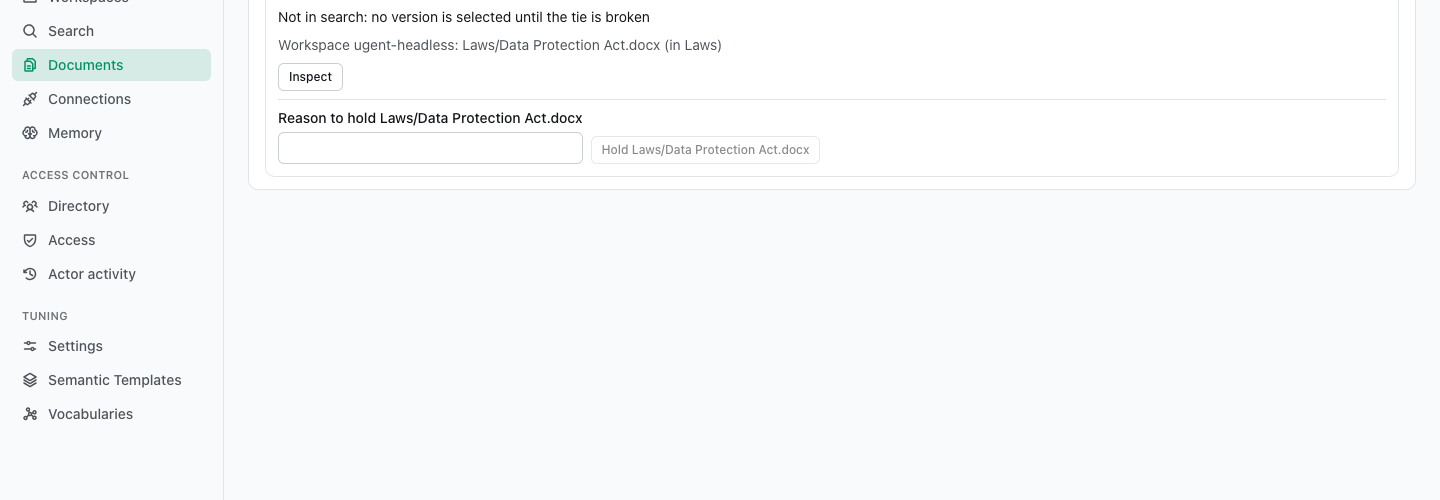
| Versions tie, so none is selected | No version is selected until the tie is broken. | Add metadata, Retire a version, Select again |
| Sources missing from complete scans | The sources stay active until the proposal is decided. | Decide, then Approve: deactivate N sources or Reject: keep them active |
| A document could not be added to search | The previous selection stays, or the document has never been in search. | Select again, and Retry where an activation failed |
| A dated change has not reached search | The selection from before its date is still shown. | Select again |
| A complete scan was refused | Nothing changed, because the scan was not used. | — |
A missing-source proposal comes from a sender's complete scan that no longer lists files the catalog holds. A scan takes missing files out by itself up to a limit: by default, no more than half of a sender's files and no more than 500. Beyond that, or when a scan listed nothing at all, it proposes instead. Decide it against the impact shown. If the impact changed meanwhile, you are shown the new one and asked again. A small proposal that later scans keep agreeing with confirms by itself after a day, but only where your operator allows any to, and never one from an empty scan.
Inspect opens a version in the inspector. It opens from a review item that names versions: two copies that arrived out of order, or a tie. It shows:
- its resolved metadata, each value saying where it came from: Set by a curator, From the manifest, From the uploader, From the source's provider, or Read from the document;
- its competing versions, each Eligible or Not eligible with the outcome of every test the selection makes, marked Unverified while no version is curated;
- its ids, under Details.
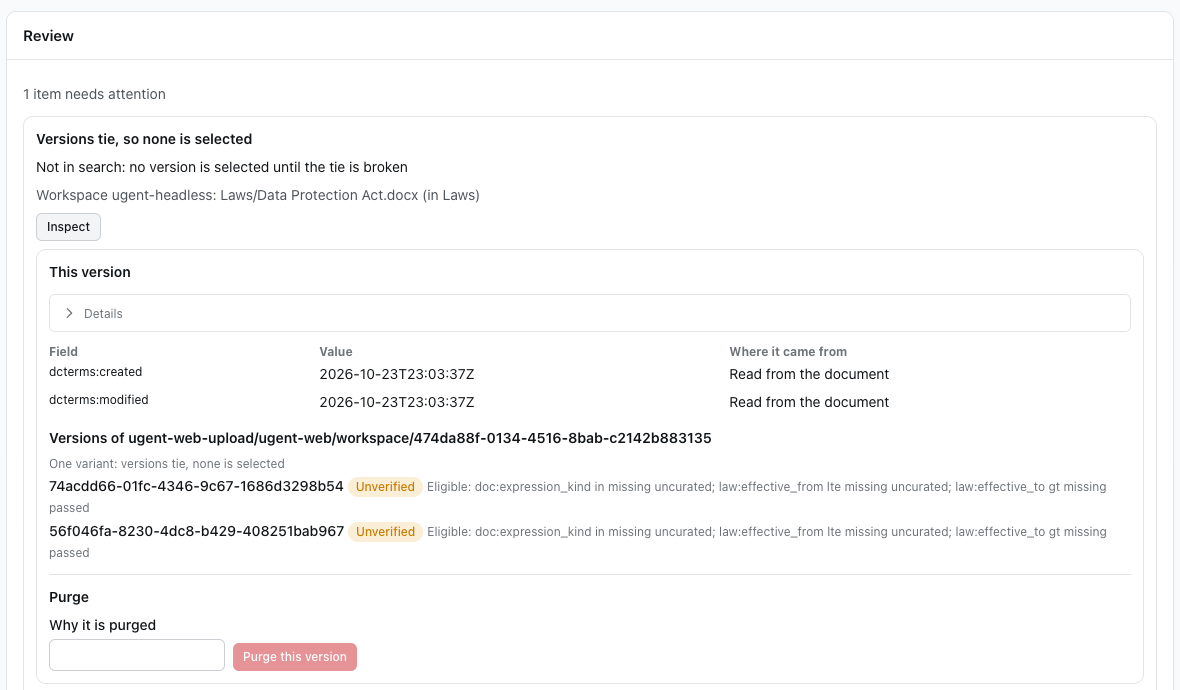
In the tie above, neither text of the law states when it came into force, so both qualify and neither ranks first. Dating them as a curator breaks the tie: give the older text an In force until date that has passed and the newer one an In force from date, and the newer text is selected, verified, and back in search.
A key whose access is restricted reads "not selected for you" where the outcome would name versions it may not see.
Curating
With documents:curate, in the inspector or on a review item:
- Add metadata. Set a field's value on a version. Where a field's profile prefers a curator, as the shipped profiles do for their dates, the value wins over what a source states, now and in future deliveries.
- Say a field has no value. The field then reads No value. It outlasts whatever the source states later, counts as curated, and the selection treats the field as missing.
- Retire a version. It leaves selection but stays readable and citable.
- Link another source's versions into this document, by the source's id (Source to link).
- Select again. Run selection again, for a workspace or for one document.
- Choose the newest. For an order conflict, name the delivery that is the source's newest.
Only versions in a review item can be curated here
The inspector, and with it every action above and Purge this version, opens only from a review item that names versions. A version in no review item is curated through the engine's POST /v1/document-versions/{id}/assertions instead. That includes a version that is simply not eligible, such as a new text of a law that arrives without dates once another version of it has them: it raises no review item, so nothing in the console offers to date it.
A value set by mistake is withdrawn through the same assertions route ("op": "retract"), which the console does not offer yet. The field then resolves as if the value had never been set. A source restates its fields with every delivery, so to keep a field empty whatever the source says, say it has no value instead.
Holds, transfers, purges
These need config:write, and a key that is not restricted:
- Hold a source to take a file out: it stays inactive whatever later deliveries say, until you Release it. While it is held it grants no one access to the versions it holds. The console offers Hold for the sources a review item lists; any other source is held through the engine's
POST /v1/document-sources/{id}:hold. - Transfer sources moves every file of one producer to another producer of the same workspace, for instance when a workspace's sender is replaced. After a transfer the old producer can change nothing.
- Purge this version, in the inspector, removes the version's text, page map, figures and comparisons, after a confirmation. Its title, its files' paths, its metadata and its history stay, and a tombstone keeps the reason you give (Why it is purged). A file uploaded again while a purge runs is kept.
- Clear projections: see Overview.
Each of these is audited.
Reading a version
In Search, a hit on a document shows its Version (its label, or its id when it has none), its variant and its pages where it has them, and Read this version. Up to two notices may follow:
- Selection unverified: no version of this document has been curated yet.
- No longer selected: a newer version replaces it in search.
Current original: names the files that hold this version.
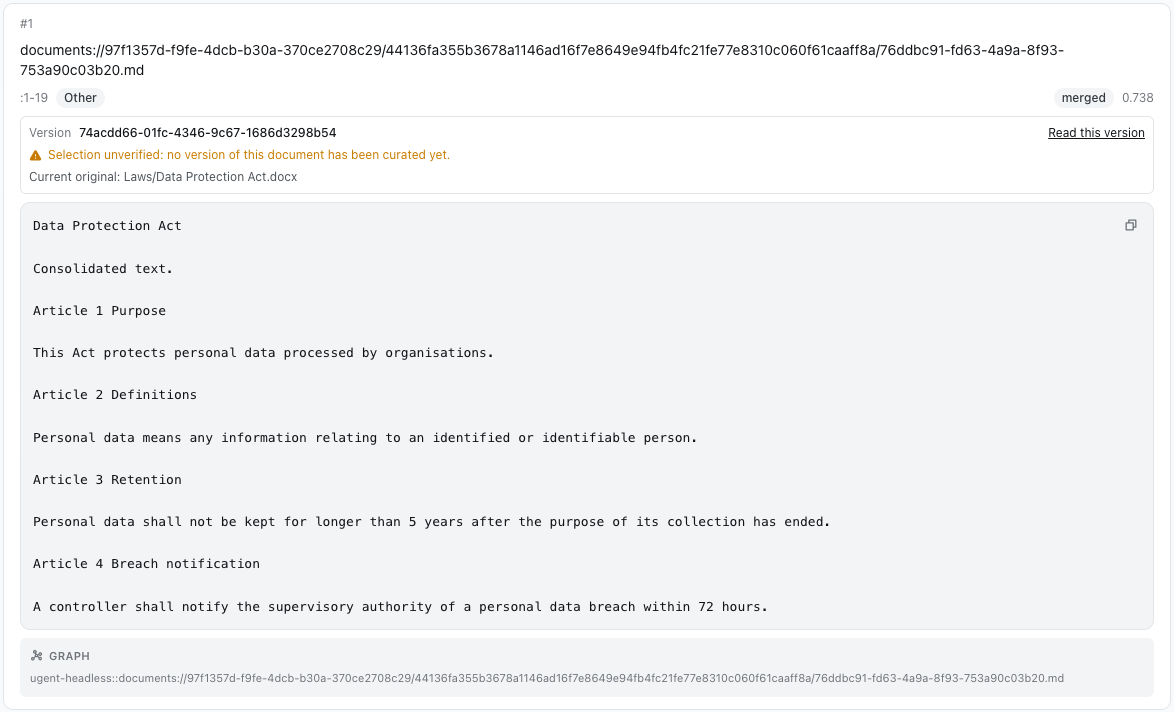
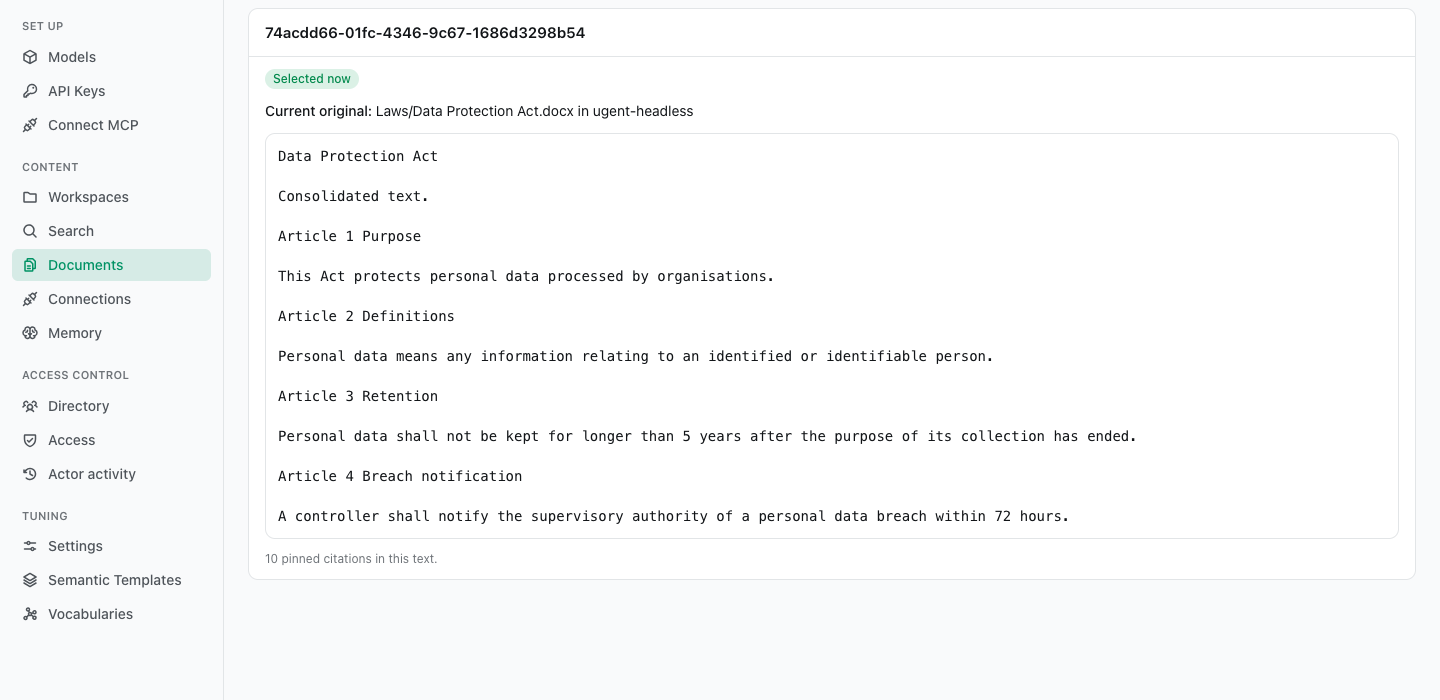
Read this version opens the version's exact text, read as the same actor the search ran as. The page says Selected now or Not the selected version, and how many pinned citations the text holds. A purged version says This version was purged, and its text is no longer kept.